All New
GPS ProAll New
GPS Pro
The Blue Original
GPS

All New
GPS ProThe Blue Original
GPSFull power runs for 16 hours. That is your best chance of a quick recovery. It then drops to a level that is still stronger than an RT Standard, for 5 full days of tracking. The light uses less than 1 percent of the power.
Blue. Full Turbo power. Up to twice the range of an RT Standard. 16 hours on a fresh battery.
Green. Standard power. Still more range than an RT Standard.
Yellow, and a double beep. Change the battery. About 2 to 3 days remain.
Red, and a triple beep. Less than 1 day remains.
Violet, flashing slowly. Off. The battery is still in, and the transmitter is sleeping.

Tap the case with the magnetic wand. The light color confirms the state. If you lose the magnet, take the battery out to turn it off.

The Turbo uses a 1/3N lithium photo battery. Marshall recommends the Duracell DL1/3N. Put the positive side toward the lid. The positive side is marked with a plus sign. Screw the lid on with your fingers. The round battery spring pushes back on the lid so it does not unscrew. The transmitter starts as soon as the battery is in.

If a new battery is in and the light does not blink blue, tap the case with the magnetic wand to turn it on.
2018 and newer RT transmitters also work with Marshall rechargeable batteries. They give more power and work better below freezing. Start each flight with a full charge. Charger kits and extra batteries are sold separately.
A new battery runs about 5 days. The first warning is a yellow light and a double beep, with about 3 days left. The second is a red light and a triple beep, with 1 day left. For the strongest signal, change the battery after 8 to 12 hours. If you fly more than 8 hours a day, use a new battery each hunting day.
Look over the case for wear.
Look at the antenna, especially the tip. Replace it as soon as you see a crack or bare wire.
Make sure the antenna protector is tight.
The Turbo antenna is 13.25 inches for 216 or 233 megahertz, and 7 inches for ultra high frequency. Use only a genuine Marshall antenna with Power Line Static Protection.
Unscrew the antenna protector.
Unscrew the old antenna with your fingers.
Screw the new antenna on hand tight. A small bead of quick-drying epoxy at the base is fine.
Put the protector back on.
Do not use liquid super glue or a thread locker. Super glue runs up the threads and bonds to the antenna stud. Unscrew the old antenna with your fingers only. Pliers can damage the transmitter.
Tested past 150 miles, line of sight. In hunting country the range changes with terrain. In the western deserts of the United States, hunts have run from 8 to 100 miles, depending on height, ground, obstacles, and radio noise. The Turbo has about twice the range of the Marshall RT, and about 4 times the range of an RT Plus.
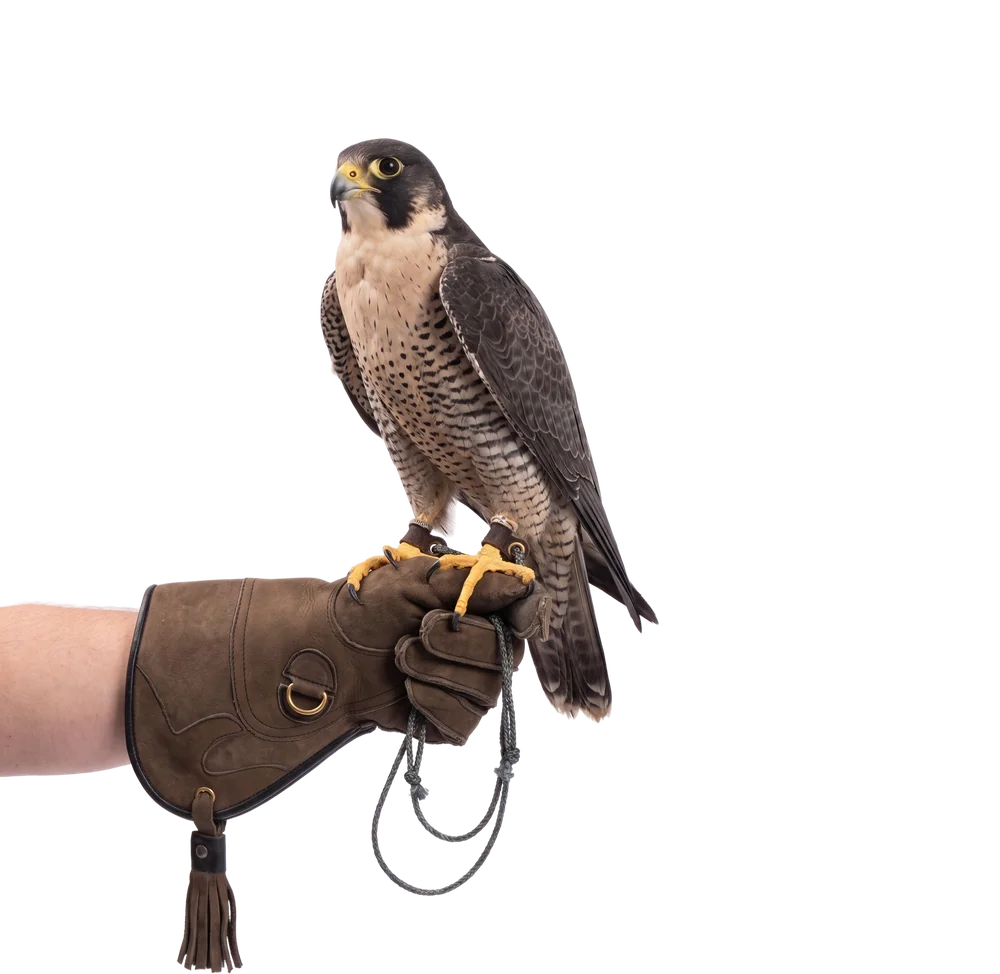
Match the photo to the hardware you ordered. The bird photos show the leg and tail methods. They use a GPS transmitter so you can see where the hardware sits.


The signal from the Turbo is strongest when the receiver antenna lines up with the transmitter antenna.
A bird on a perch holds its tail nearly straight up. Hold the receiver elements straight up.
A bird on the ground can leave the antenna nearly flat. Turn the elements flat and listen again.
If you can hear the signal both ways, use the flat position to pinpoint the bird.
On a perch

Hold the elements straight up.
On the ground

Turn the elements flat.
Work down this list before you change anything else.
A new battery is in and the light does not blink blue. Tap the case with the magnetic wand to turn it on.
The light is violet and flashing slowly. The transmitter is off and sleeping. The battery is still in. Tap it on.
The light is yellow and you hear a double beep. About 2 to 3 days remain. Change the battery. For the strongest signal, change it after 8 to 12 hours.
The light is red and you hear a triple beep. Less than 1 day remains. Change the battery before you fly.
You lost the magnet. Take the battery out to turn the transmitter off.
The range is short. Hold the receiver elements straight up for a bird on a perch, and flat if the bird is on the ground. If you hear both, use the flat position to pinpoint. Check the antenna for cracks or bare wire.
Marshall Radio Telemetry warrants that the Turbo transmitter will be free from defects of workmanship and materials for five (5) years from the date of purchase by the end user. Return a defective transmitter directly to Marshall Radio Telemetry and we will repair or replace it and return it free of charge. Damage from misuse or normal wear and tear is not covered, and the warranty is void if a non-Marshall antenna has been used. Marshall Radio is not responsible for damages or loss beyond the value of the transmitter itself, including but not limited to the loss of a bird or lost time.
This device does not interfere with television reception or Federal Government radar.
Remove any dirt, debris, or buildup accumulated from the previous hawking season before packing your gear away.
Store all equipment in a cool, dry area where it remains safe from dust, dirt, and grime accumulation.
Take out batteries before storage, lightly clean the contacts using rubbing alcohol on a cotton swab, and wipe down the exterior with a damp cloth.
Inspect antennas carefully and replace any unit that is kinked, damaged, or exposing internal metal filaments.
Store batteries in a cool, dry place—using vapor-proof containers in humid areas—and isolate them so they cannot touch, short-circuit, or overheat.
Charge all rechargeable batteries to 100% prior to long-term offseason storage in addition to keeping them in a cool, dry location.
Ship your equipment within 3–4 weeks of purchasing service; unreceived items without an update will be automatically refunded by week 4, requiring re-payment if sent later.